\n
\nFAQ
\nQ1.Why the resolutions of the monitor cannot reach 8K resolution when connecting to the HDMI port?
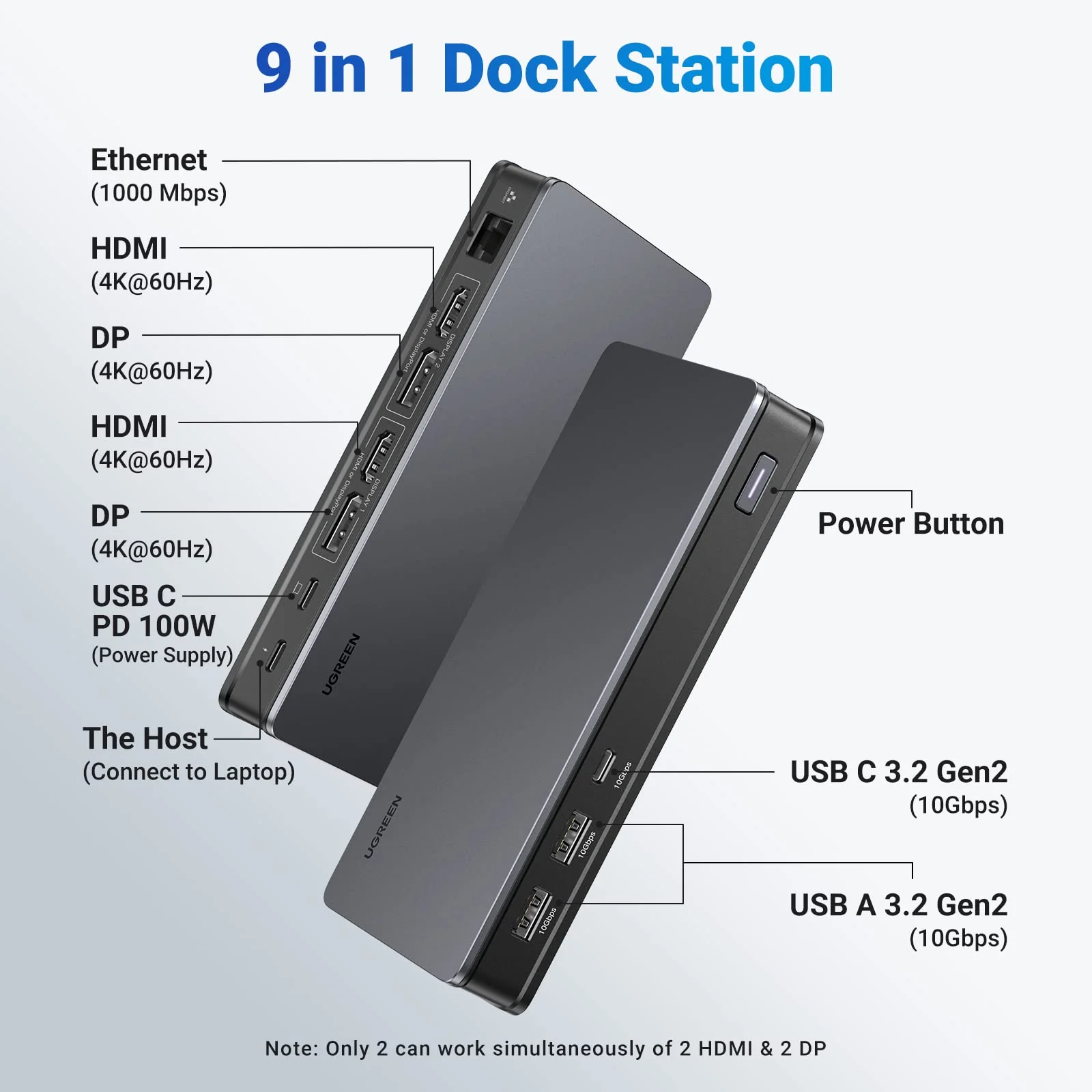
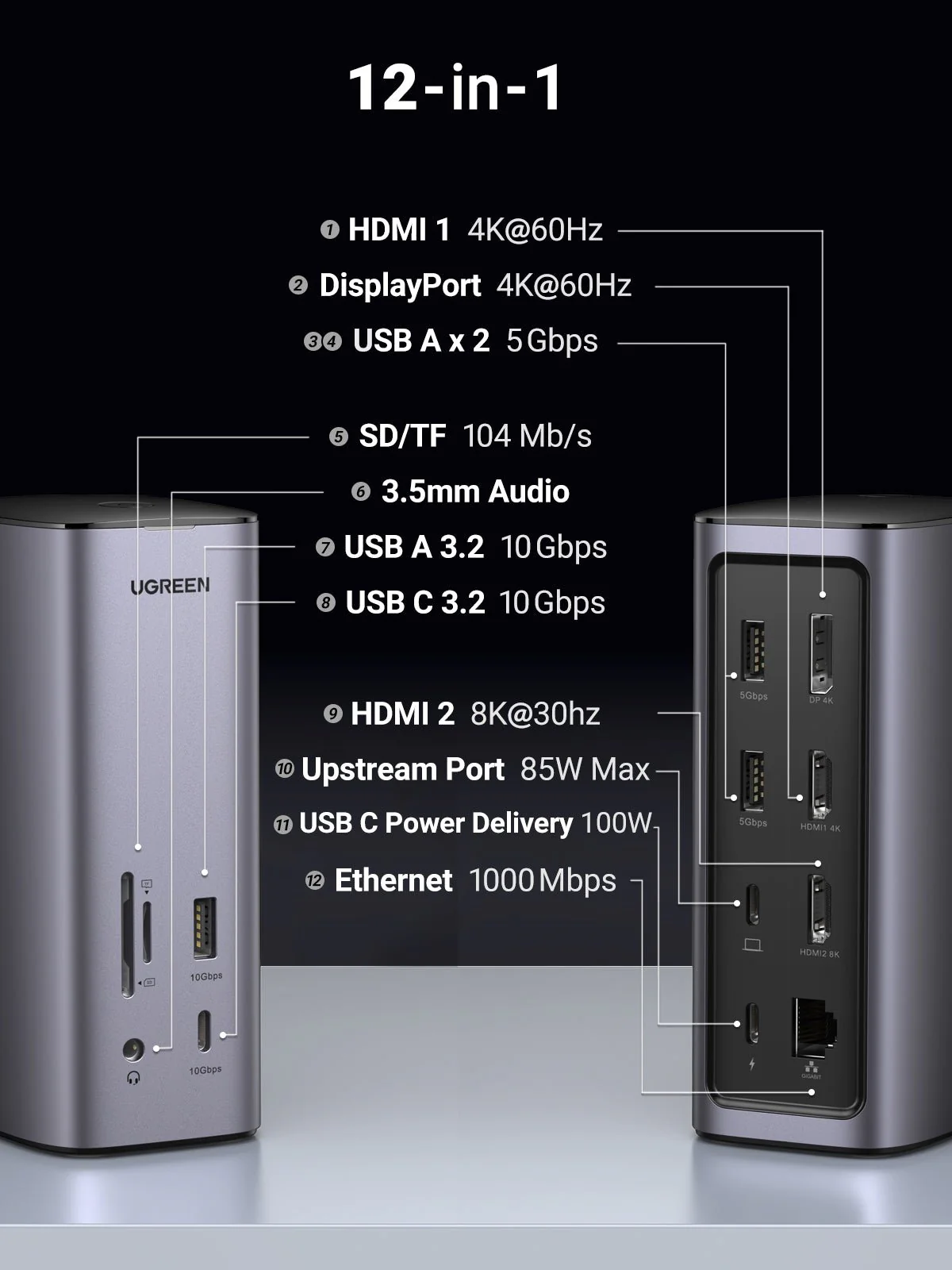
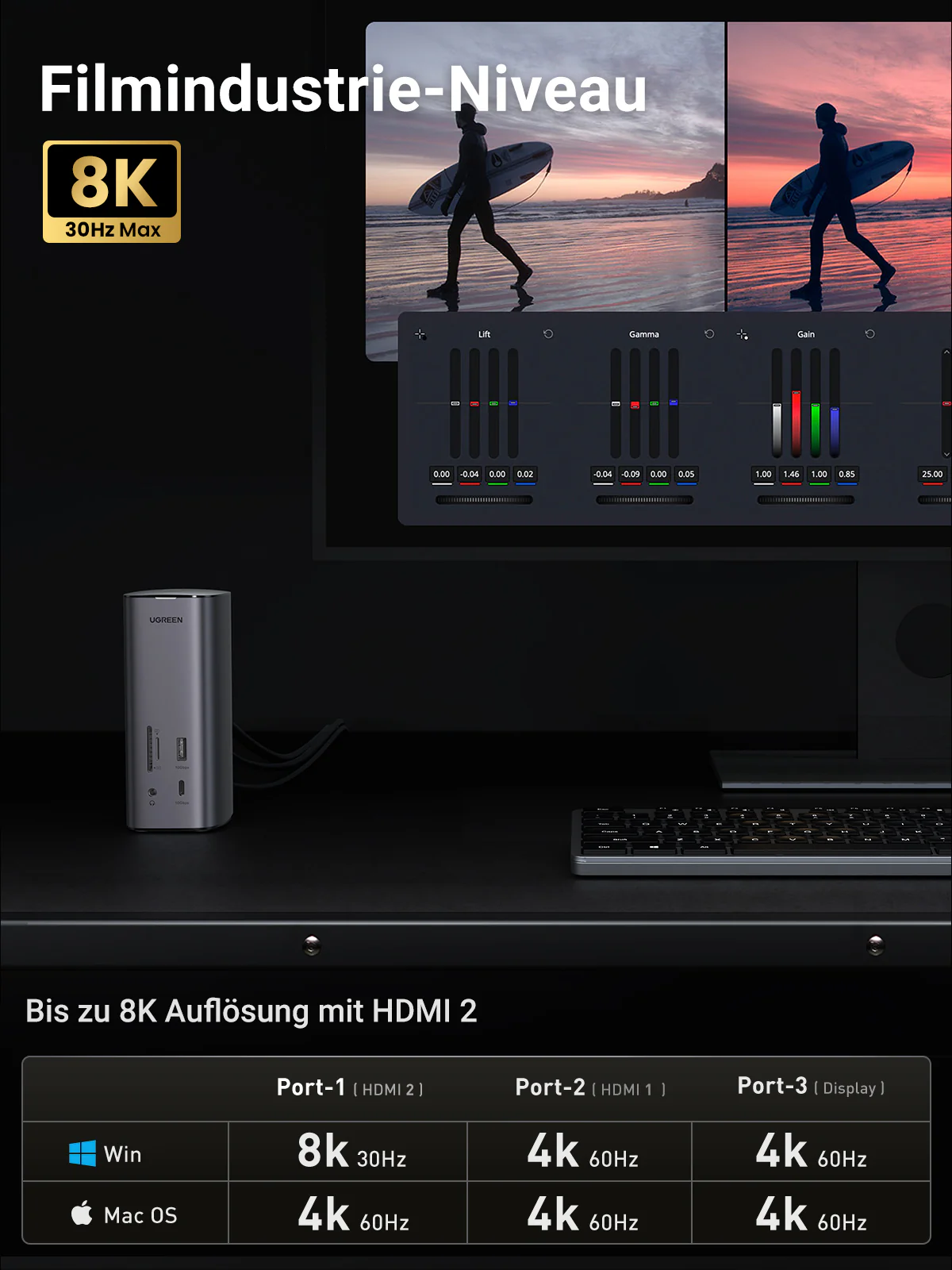
\n(1) Make sure you connect to the HDMI 2 port (Only the HDMI 2 port supports 8K). ·
\n(2) Ensure the cable and monitor support 8K.
\n(3)Check whether the PC (Source device) supports 8K, theoretically, the PC equipped with Intel's 11th Gen CPU can support up to 8K, which includesï¼_SUS Zenbook Flip, Dell XPS 13 Laptop, HUAWEI MateBook 13s 2021, HONOR MagicBook 16 Pro, HP Victus 6/HP Spectre X 360 13
\nQ2.Why the resolutions of the monitor cannot reach 8K resolution when connecting to the HDMI port?
\nThere is a chance that the video signal has been distorted after it is transmitted to the monitor. This issue is caused by the cable, monitor, laptop, and dock. You can change to a new HDMI cable, or try another monitor and laptop to check whether the display is normal.
\nQ3.Why do I have no display when connecting to the HDMI/DP port?
\n(1) Check which video port is not outputting the image.
\nIf it is HDMI 8K, please check whether your laptop's USB-C port supports video output.
\nIf it is HDMI 4K/DP port, please check whether the driver has been installed.
\n(2) Please make sure the HDMI or DP cable meet the requirements and the connection between the devices is solid.
\n(3) Adjust the display resolution, as the monitor may support lower resolutions than what the dock can support.
\n(4) Ensure to select the correct input signal source on your monitor, as some devices need to manually adjust.
\n(5) Restart your computers.
\n(6) Try another monitor to check whether the display is normal.
\nQ4.How to deal with a black screen and display flickering when connecting to an external monitor?
\n(1) Please try to lower the resolution and refresh rate.
\n(2) Update the driver to the latest versions.
\n(3) Try another HDMI/DP cable.
\n(4) Restart the laptop.
","image":["https://img.ugreenshop.shop/images/product/ugreen-usb-c-triple-display-docking-station-1.png","https://img.ugreenshop.shop/images/product/ugreen-usb-c-triple-display-docking-station-2.jpg","https://img.ugreenshop.shop/images/product/ugreen-usb-c-triple-display-docking-station-3.jpg","https://img.ugreenshop.shop/images/product/ugreen-usb-c-triple-display-docking-station-4.jpg","https://img.ugreenshop.shop/images/product/ugreen-usb-c-triple-display-docking-station-5.jpg","https://img.ugreenshop.shop/images/product/ugreen-usb-c-triple-display-docking-station-6.jpg","https://img.ugreenshop.shop/images/product/ugreen-usb-c-triple-display-docking-station-7.jpg","https://img.ugreenshop.shop/images/product/ugreen-usb-c-triple-display-docking-station-8.jpg","https://img.ugreenshop.shop/images/product/ugreen-usb-c-triple-display-docking-station-9.jpg","https://img.ugreenshop.shop/images/product/ugreen-usb-c-triple-display-docking-station-10.jpg"],"sku":"ugreen-usb-c-triple-display-docking-station","brand":{"@type":"Brand","name":"UGREEN"},"offers":{"@type":"AggregateOffer","lowPrice":342.99,"highPrice":342.99,"priceCurrency":"USD","availability":"https://schema.org/InStock","url":"https://ugreenshop.shop/products/ugreen-usb-c-triple-display-docking-station","offerCount":1}}
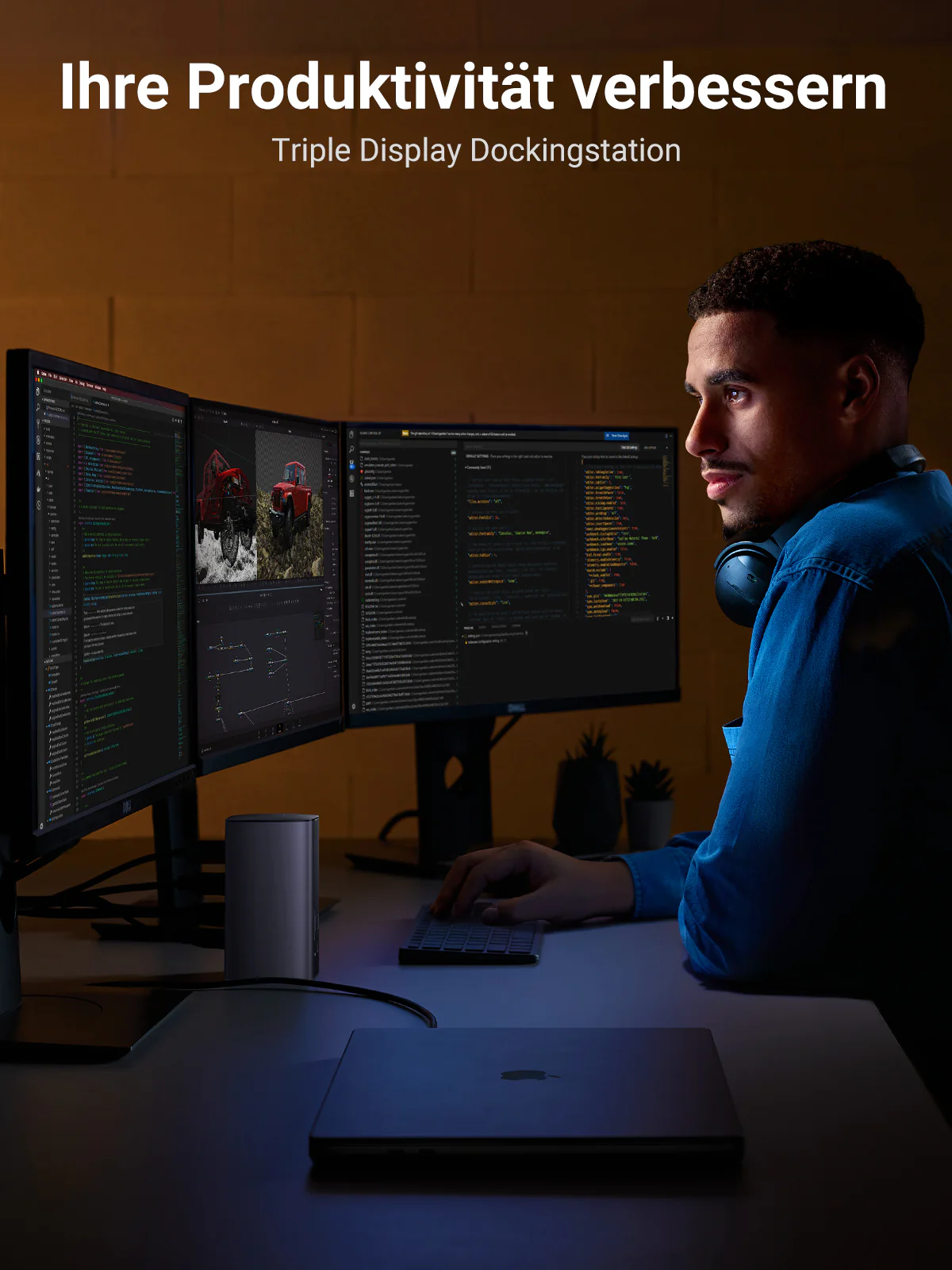
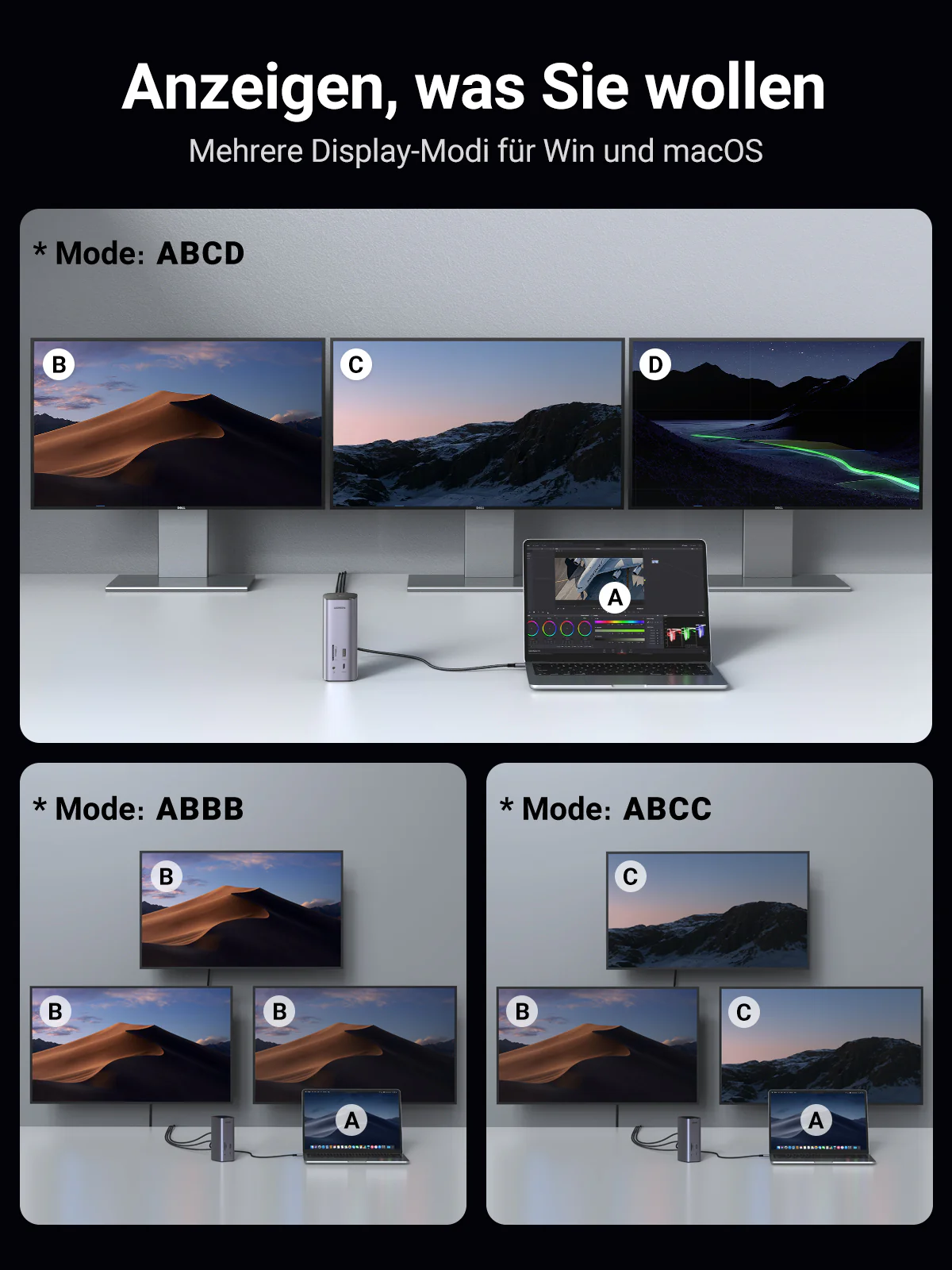
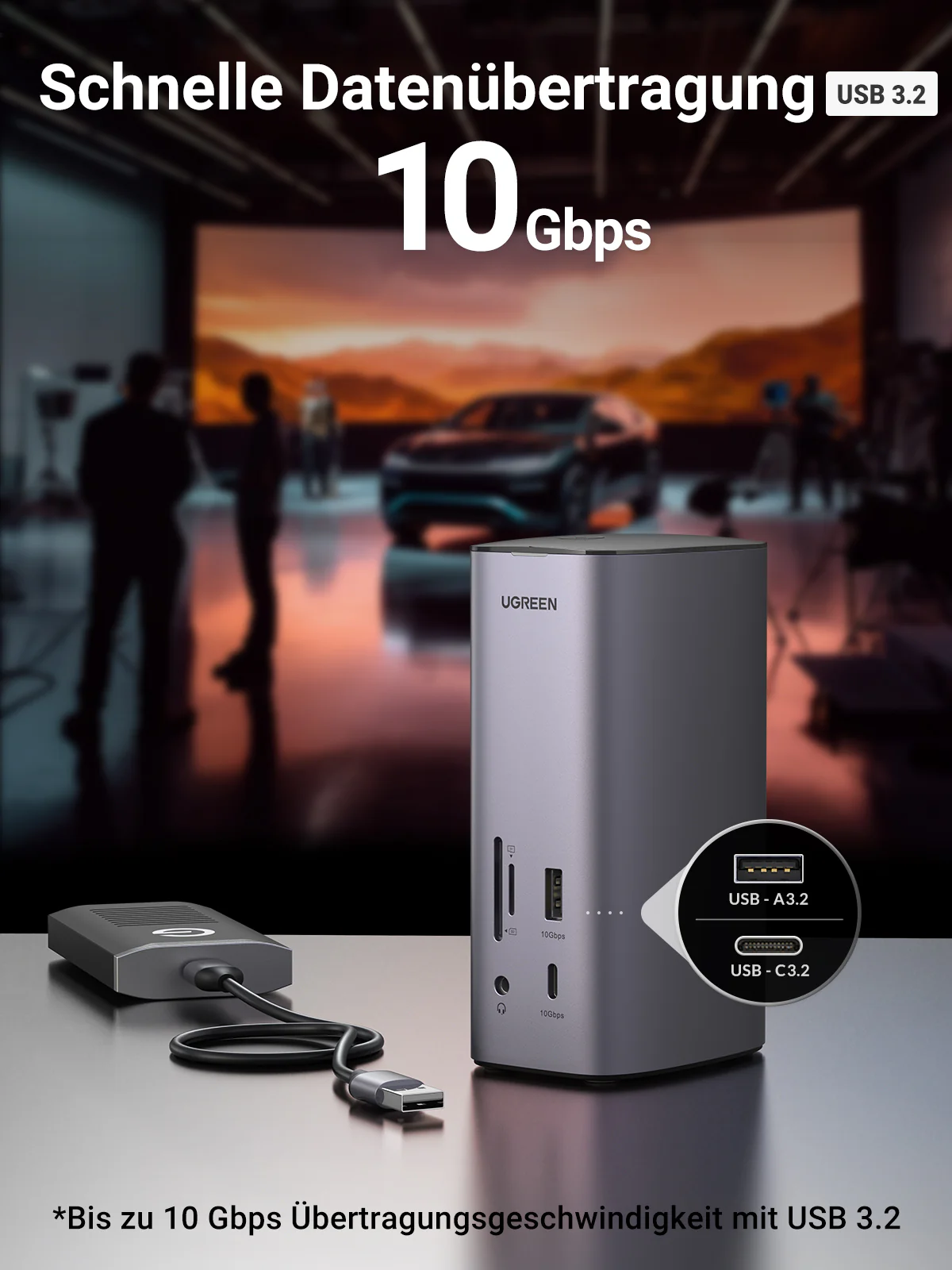
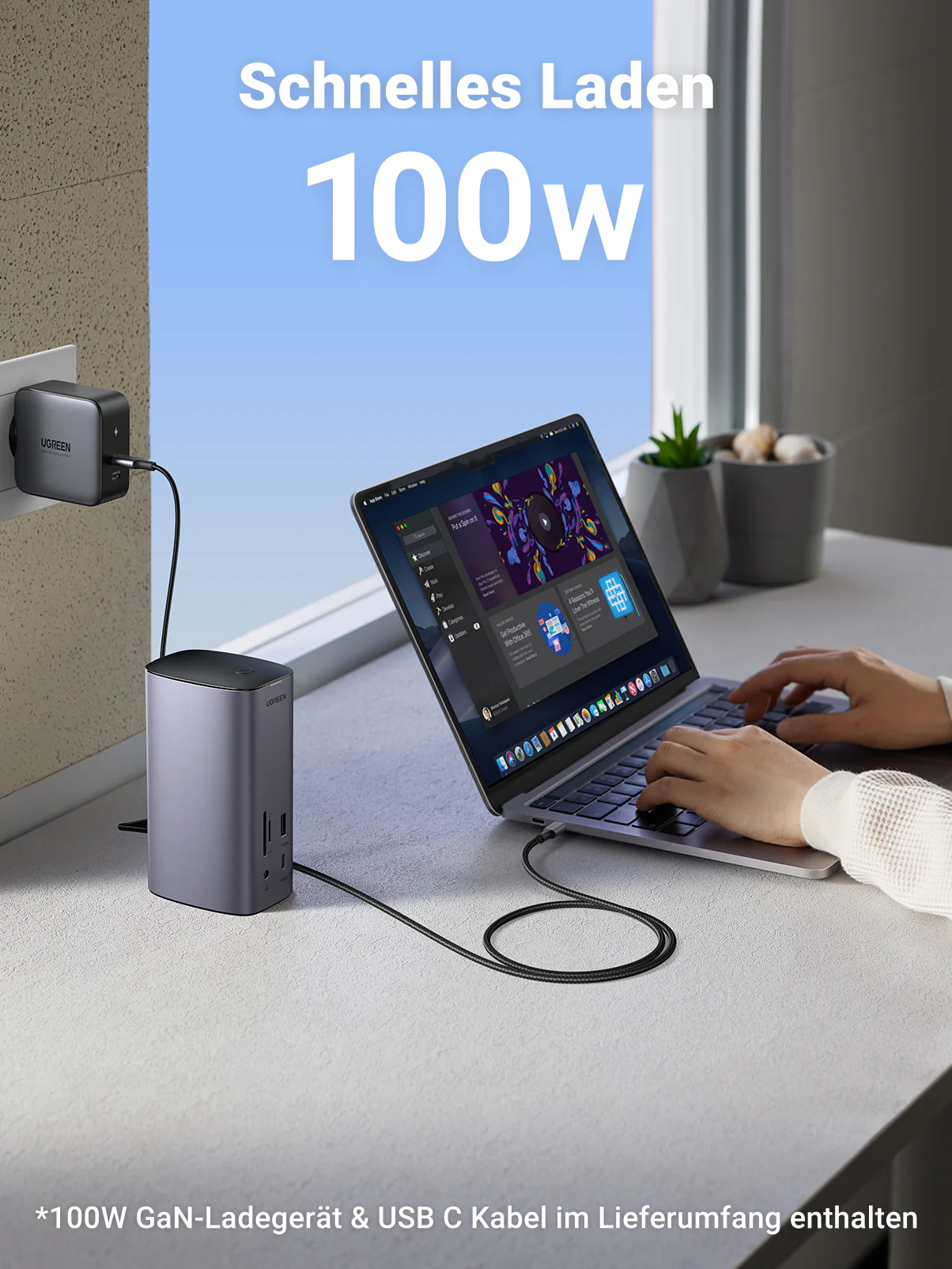
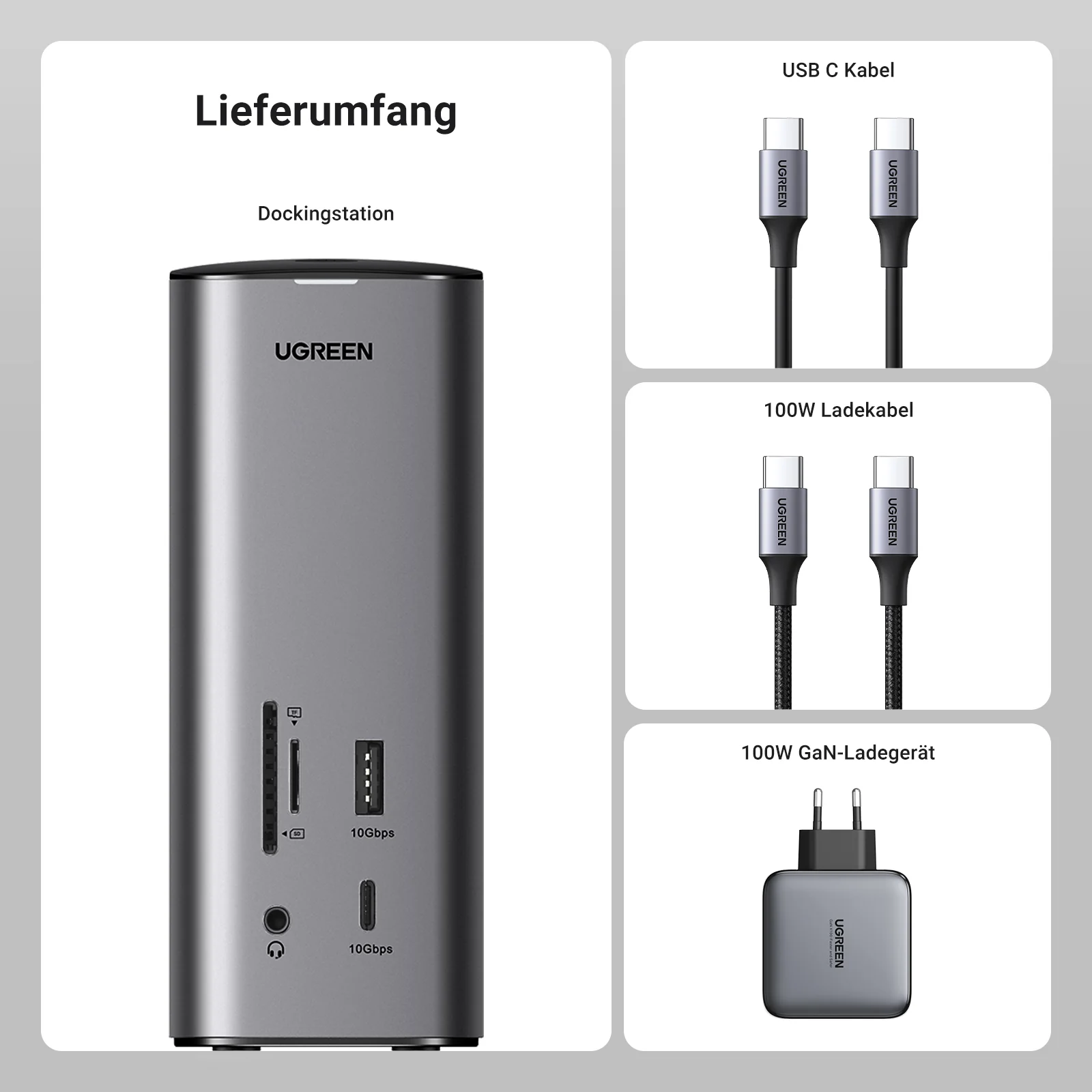
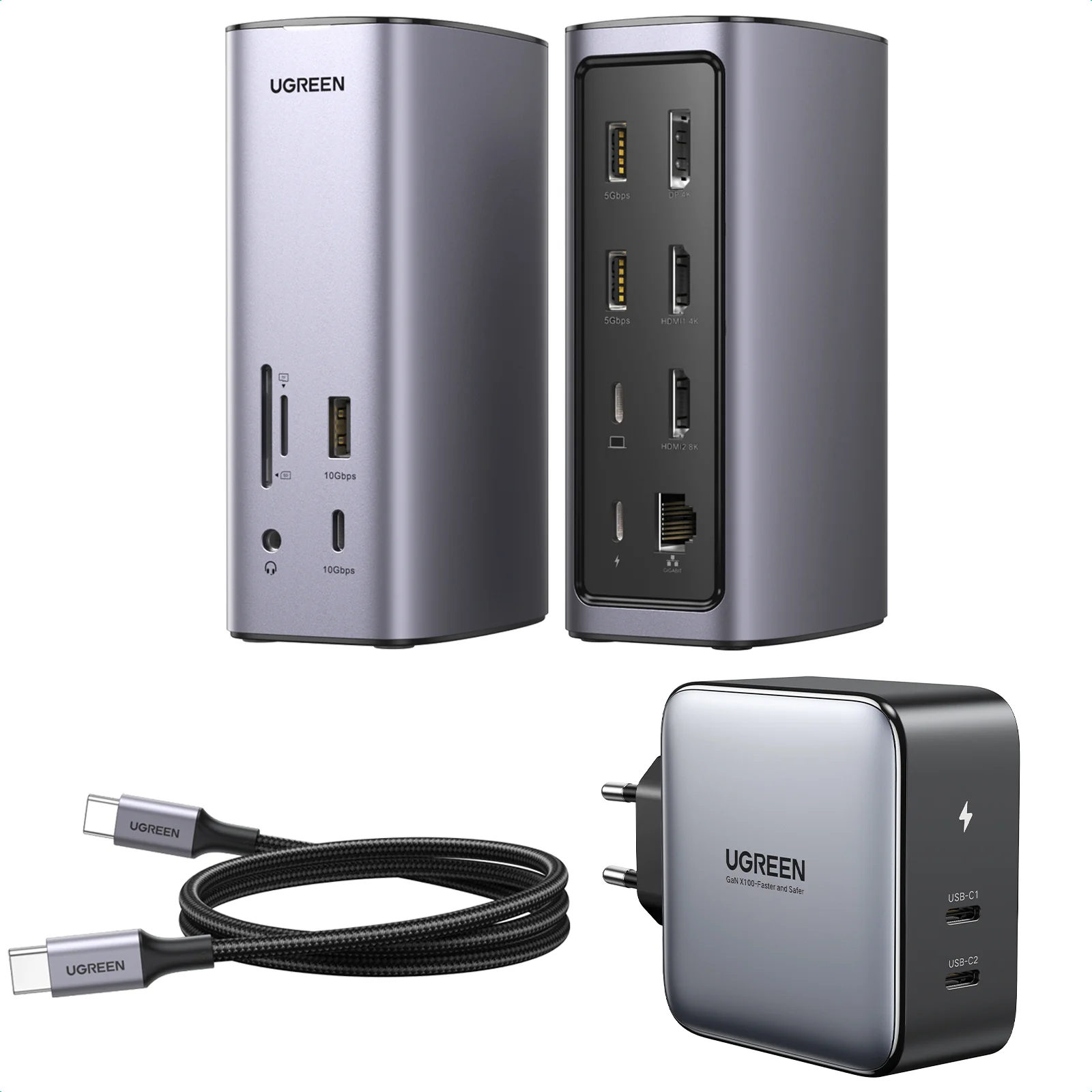
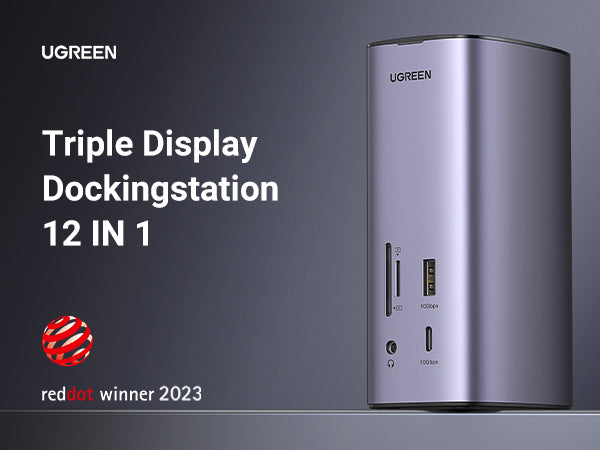
UGREEN Revodok Pro 312 Triple Display 12-in-1 USB C 8K Universal Docking Station


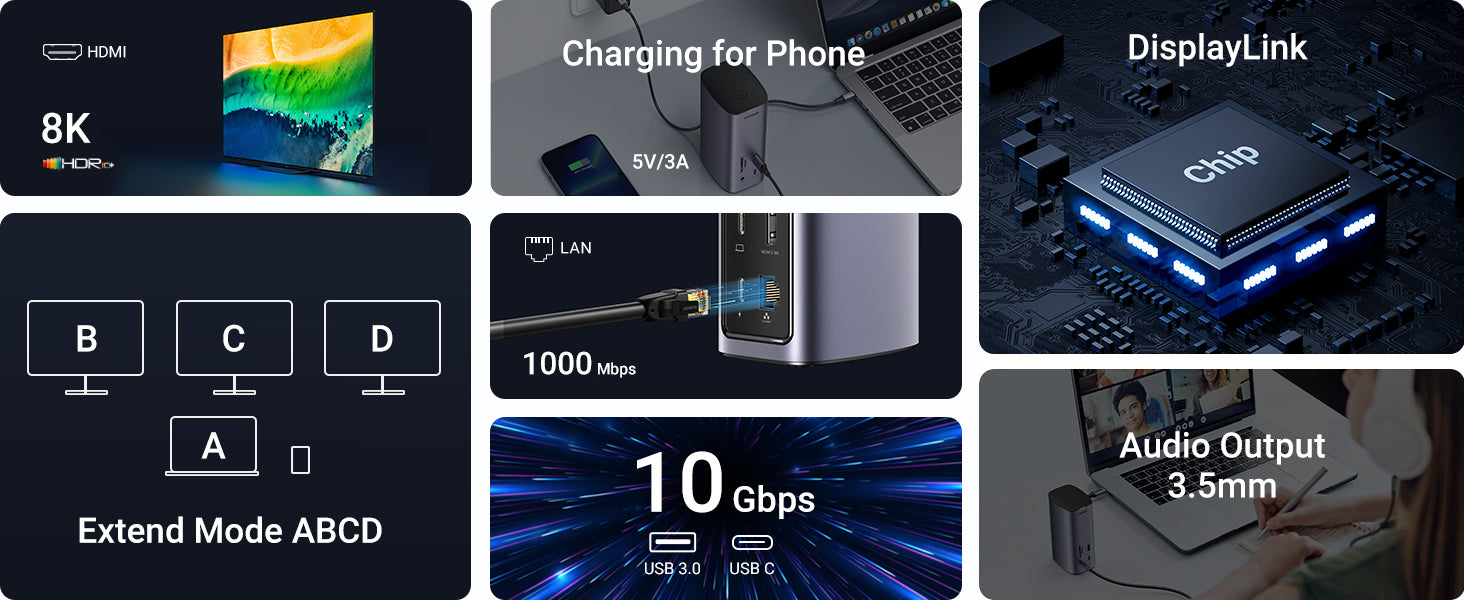

FAQ
Q1.Why the resolutions of the monitor cannot reach 8K resolution when connecting to the HDMI port?
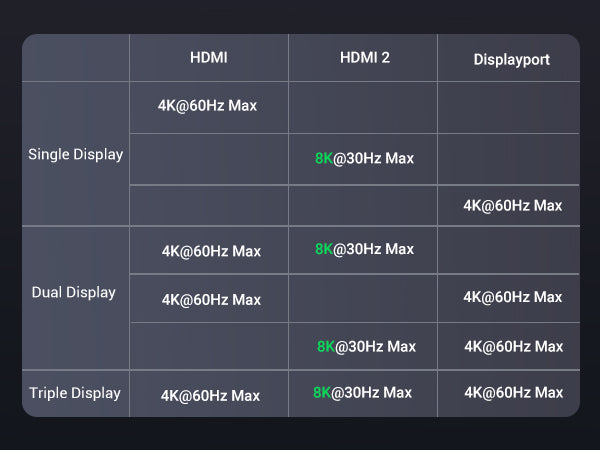
(1) Make sure you connect to the HDMI 2 port (Only the HDMI 2 port supports 8K). ·
(2) Ensure the cable and monitor support 8K.
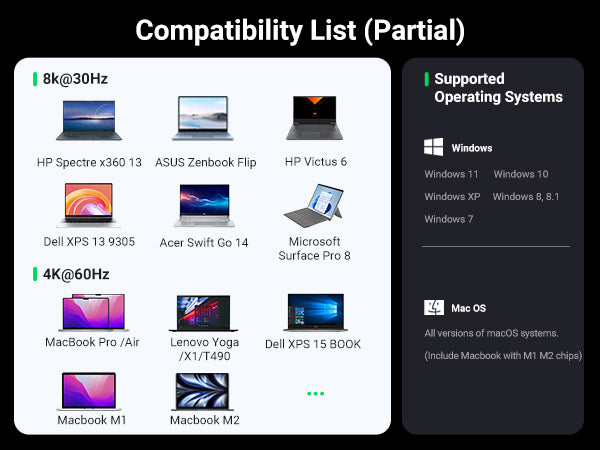
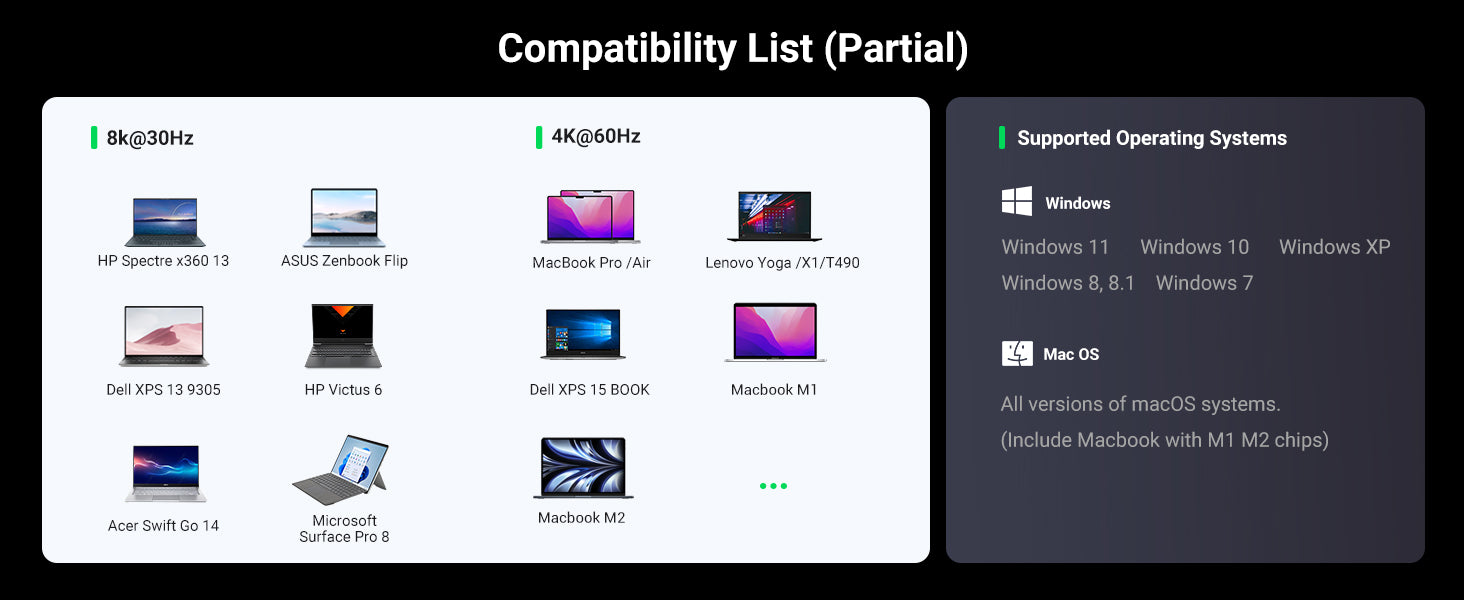
(3)Check whether the PC (Source device) supports 8K, theoretically, the PC equipped with Intel's 11th Gen CPU can support up to 8K, which includesï¼_SUS Zenbook Flip, Dell XPS 13 Laptop, HUAWEI MateBook 13s 2021, HONOR MagicBook 16 Pro, HP Victus 6/HP Spectre X 360 13
Q2.Why the resolutions of the monitor cannot reach 8K resolution when connecting to the HDMI port?
There is a chance that the video signal has been distorted after it is transmitted to the monitor. This issue is caused by the cable, monitor, laptop, and dock. You can change to a new HDMI cable, or try another monitor and laptop to check whether the display is normal.
Q3.Why do I have no display when connecting to the HDMI/DP port?
(1) Check which video port is not outputting the image.
If it is HDMI 8K, please check whether your laptop's USB-C port supports video output.
If it is HDMI 4K/DP port, please check whether the driver has been installed.
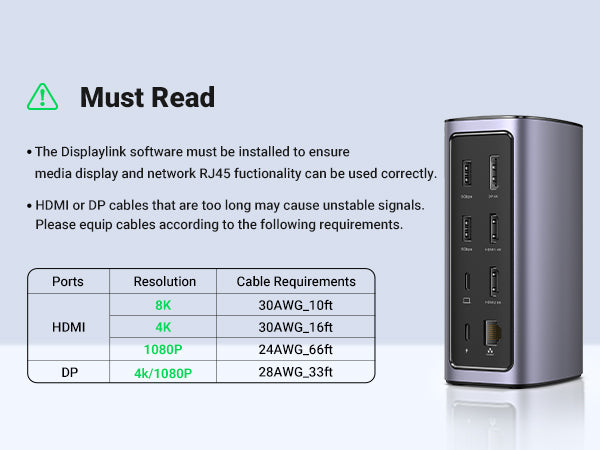
(2) Please make sure the HDMI or DP cable meet the requirements and the connection between the devices is solid.
(3) Adjust the display resolution, as the monitor may support lower resolutions than what the dock can support.
(4) Ensure to select the correct input signal source on your monitor, as some devices need to manually adjust.
(5) Restart your computers.
(6) Try another monitor to check whether the display is normal.
Q4.How to deal with a black screen and display flickering when connecting to an external monitor?
(1) Please try to lower the resolution and refresh rate.
(2) Update the driver to the latest versions.
(3) Try another HDMI/DP cable.
(4) Restart the laptop.
Product Information
Product Information
Shipping & Returns
Shipping & Returns
Description
FAQ
Q1.Why the resolutions of the monitor cannot reach 8K resolution when connecting to the HDMI port?
(1) Make sure you connect to the HDMI 2 port (Only the HDMI 2 port supports 8K). ·
(2) Ensure the cable and monitor support 8K.
(3)Check whether the PC (Source device) supports 8K, theoretically, the PC equipped with Intel's 11th Gen CPU can support up to 8K, which includesï¼_SUS Zenbook Flip, Dell XPS 13 Laptop, HUAWEI MateBook 13s 2021, HONOR MagicBook 16 Pro, HP Victus 6/HP Spectre X 360 13
Q2.Why the resolutions of the monitor cannot reach 8K resolution when connecting to the HDMI port?
There is a chance that the video signal has been distorted after it is transmitted to the monitor. This issue is caused by the cable, monitor, laptop, and dock. You can change to a new HDMI cable, or try another monitor and laptop to check whether the display is normal.
Q3.Why do I have no display when connecting to the HDMI/DP port?
(1) Check which video port is not outputting the image.
If it is HDMI 8K, please check whether your laptop's USB-C port supports video output.
If it is HDMI 4K/DP port, please check whether the driver has been installed.
(2) Please make sure the HDMI or DP cable meet the requirements and the connection between the devices is solid.
(3) Adjust the display resolution, as the monitor may support lower resolutions than what the dock can support.
(4) Ensure to select the correct input signal source on your monitor, as some devices need to manually adjust.
(5) Restart your computers.
(6) Try another monitor to check whether the display is normal.
Q4.How to deal with a black screen and display flickering when connecting to an external monitor?
(1) Please try to lower the resolution and refresh rate.
(2) Update the driver to the latest versions.
(3) Try another HDMI/DP cable.
(4) Restart the laptop.